How to download your Synergy data
You also need at least 12 months of half-hourly data on your account. If your meter was installed less than a year ago, come back once you have a full year of readings.
Click the button below to download SynergyDownloader.exe. It is a portable app — no installation needed, just double-click to run.
Download SynergyDownloader.exeWindows security prompt: Because the app is not code-signed, Windows SmartScreen may show a warning when you first run it. Click More info, then Run anyway to proceed.
The app opens with an embedded browser already pointed at the Synergy login page
(my.synergy.net.au). Log in using your normal Synergy My Account
credentials.
Do not close the browser window — the app needs to remain open throughout the process.
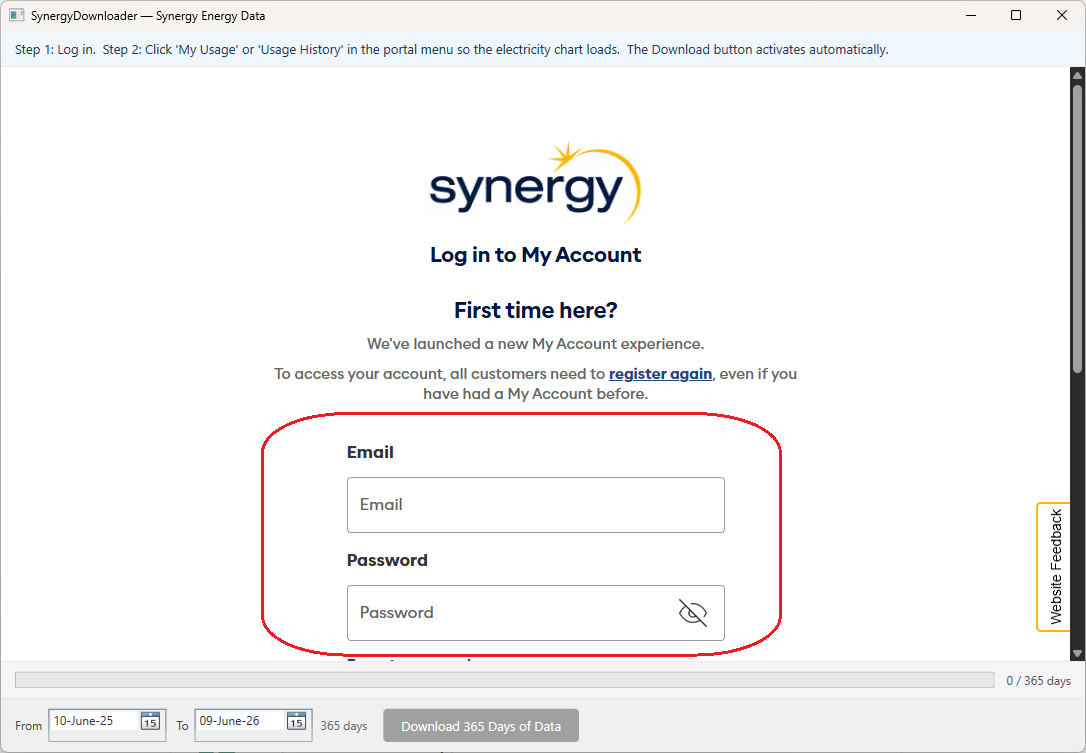
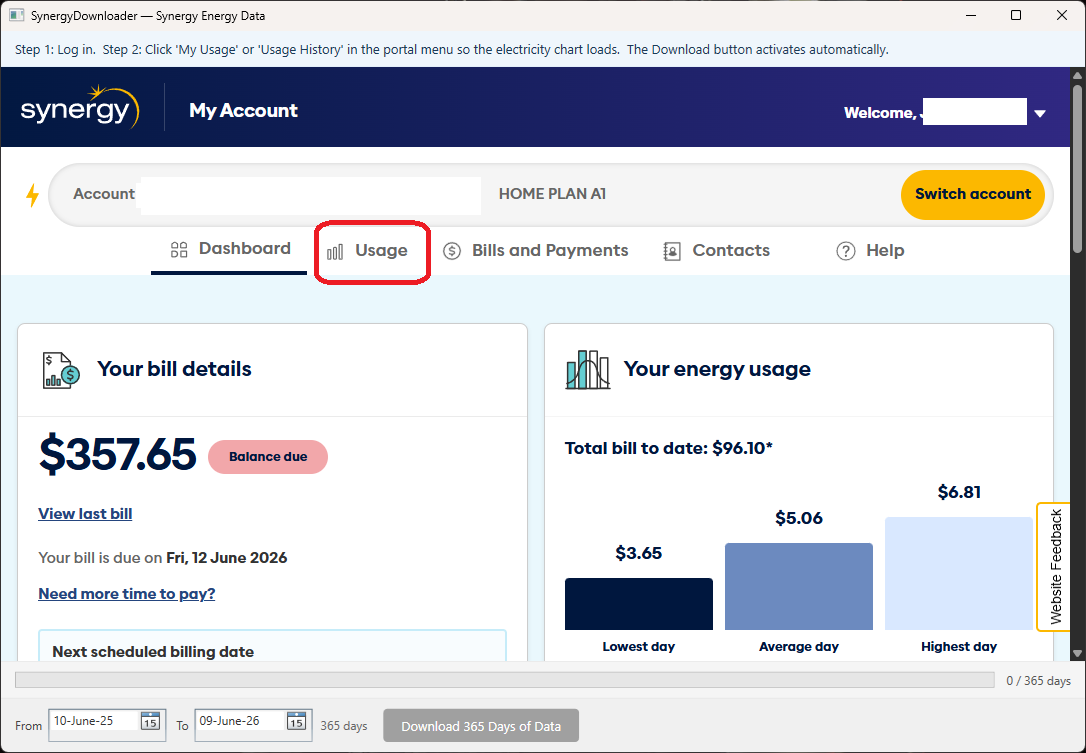
Once logged in, go to My Usage (or Usage History) from the Synergy menu. Wait for the usage chart to fully load — this is when the app captures your account credentials in the background.
You'll see the Download 365 Days of Data button at the bottom of the app become active once the data has been captured. The status bar at the top will confirm: ✓ Captured — choose a save location and click Download.
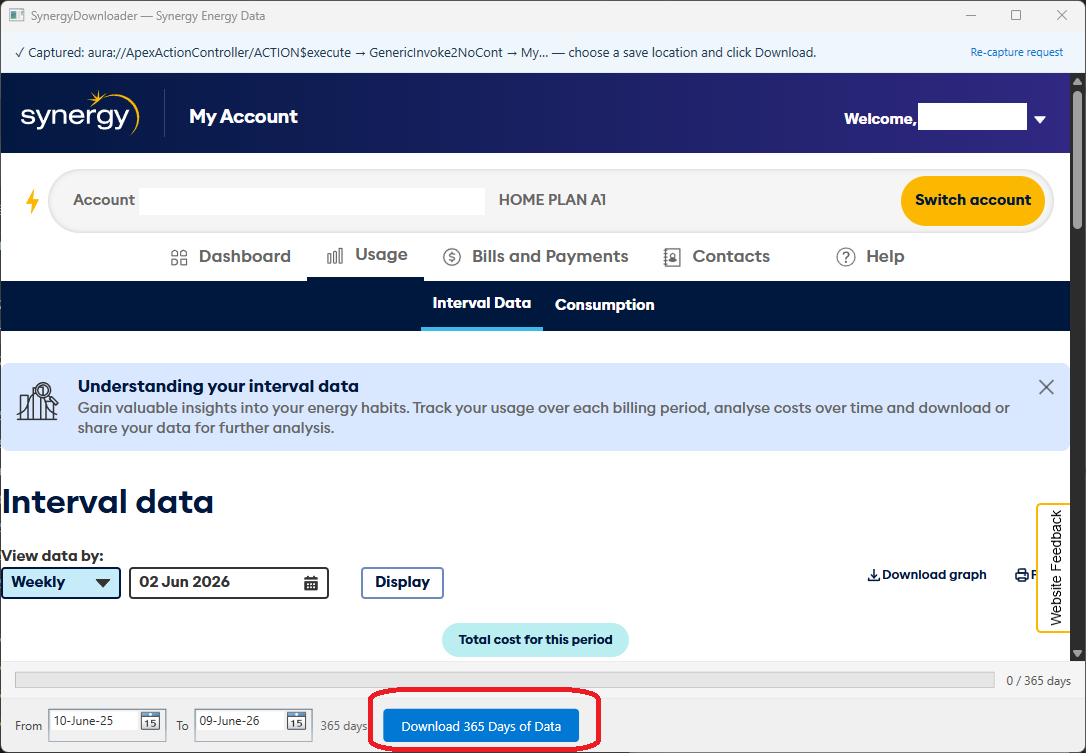
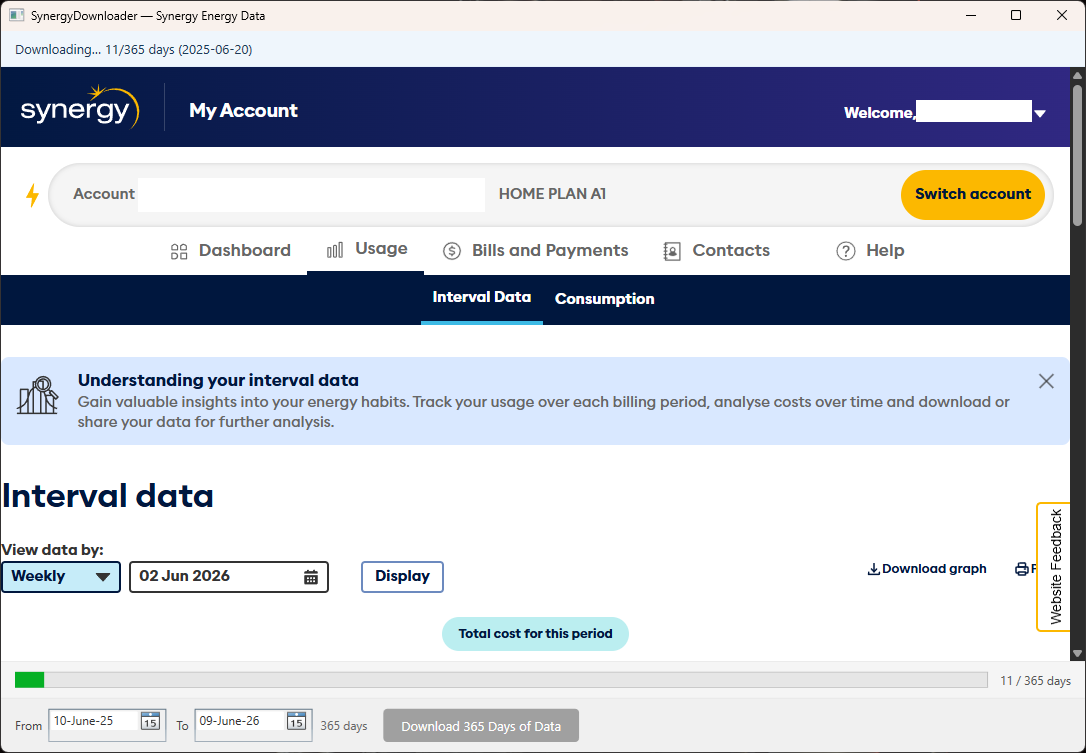
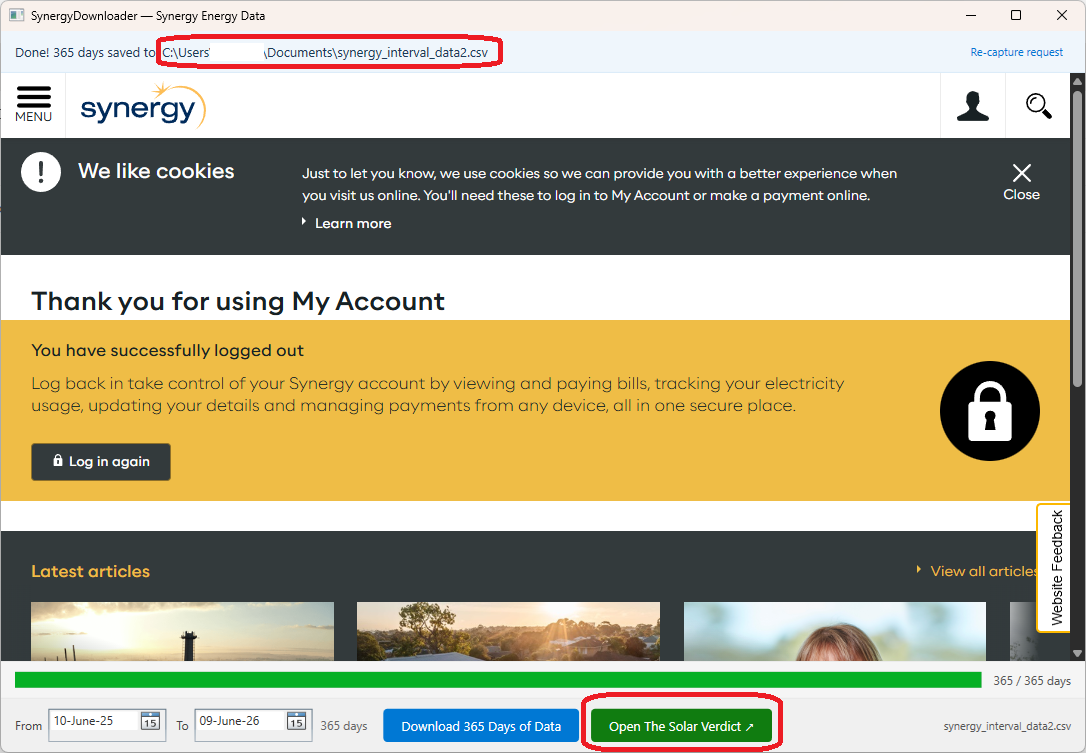
Click the Download button and choose where to save your file. The app will collect your 30-minute interval data day by day — this takes roughly 10 minutes for a full year of data.
A progress bar at the bottom shows how many days have been downloaded. Don't close the app while it's running.
Once complete, the status bar shows the path where your CSV was saved. Click the Open The Solar Verdict button in the app — it will open this website in your browser with the upload page ready.
Alternatively, go directly to thesolarverdict.com.au/app and drag your saved CSV onto the upload area.
Ready to run your analysis?
Upload your CSV and get your personalised payback verdict in under a minute.
Go to the analysis tool